


AI automation that takes the repeat work off your team
Quotes, replies, bookings, reviews, invoices: the jobs someone does by hand every single day. We map the process, build the workflow or the agent that runs it, and leave you a panel that shows what it did.
- AI agents & assistants
- Workflow automation
- Integrations
- Internal systems
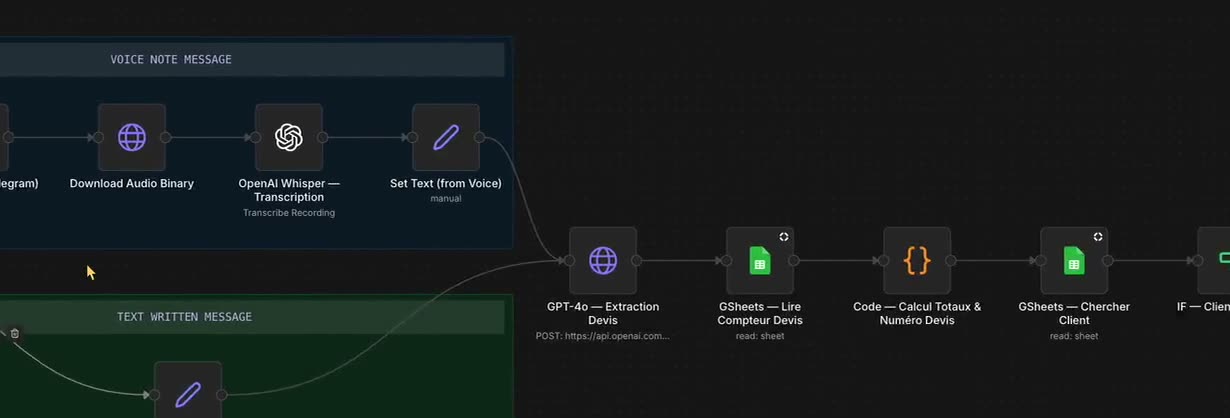
(01) One process, start to finish
A voice note goes in. A quote comes out.
Built for a builder who is on site all day and never at a desk. Six steps, and none of them needs a laptop.
- 01
He says it out loud
Voice note · message · email
The client's name, the measurements and the job, recorded between two site visits.
- 02
The AI makes sense of it
Transcribe · extract · sort
Audio becomes text, and the text becomes a client, line items and quantities.
- 03
His own prices go in
Rates · clients · history
The job is priced with his rate card, reusing what is already known about that client.
- 04
The document is built
PDF in his branding
Logo, terms and quote number, laid out the way his quotes always look.
- 05
It is sent
Email · the client's channel
Straight to the client, or back to him first when he wants a look.
- 06
It is followed up
Database · reminders
Filed with every other quote, with a nudge when it is time to call.
(02) What we automate
If someone does it by hand every day, it is a candidate
Customer service
Bookings and questions answered on the channel the customer chose, in their language, at any hour. Whatever needs a person goes to your team.
Quotes
Spoken into a phone, returned as a quote in your branding, sent and filed.
Reviews
Each new review is read, sorted and answered according to its type. A complaint lands in your inbox.
Sales with nobody at the till
Gift cards, vouchers or invitations paid on the website, delivered with the buyer's message, saved to Wallet and redeemed by scanning a QR code.
New clients
Every business that gets in touch is analysed and comes with a proposal already drafted before the first call.
Internal processes
Registrations, incident reports, orders, warnings: anything a person currently retypes from one program into the next.
(03) Inside
Real workflows, not a diagram drawn for a slide
Three of ours, exactly as they sit on the canvas.


(04) AI agents
Agents that work, with someone at the wheel
An agent is only useful if you can see what it does and stop it. These four run our own business.
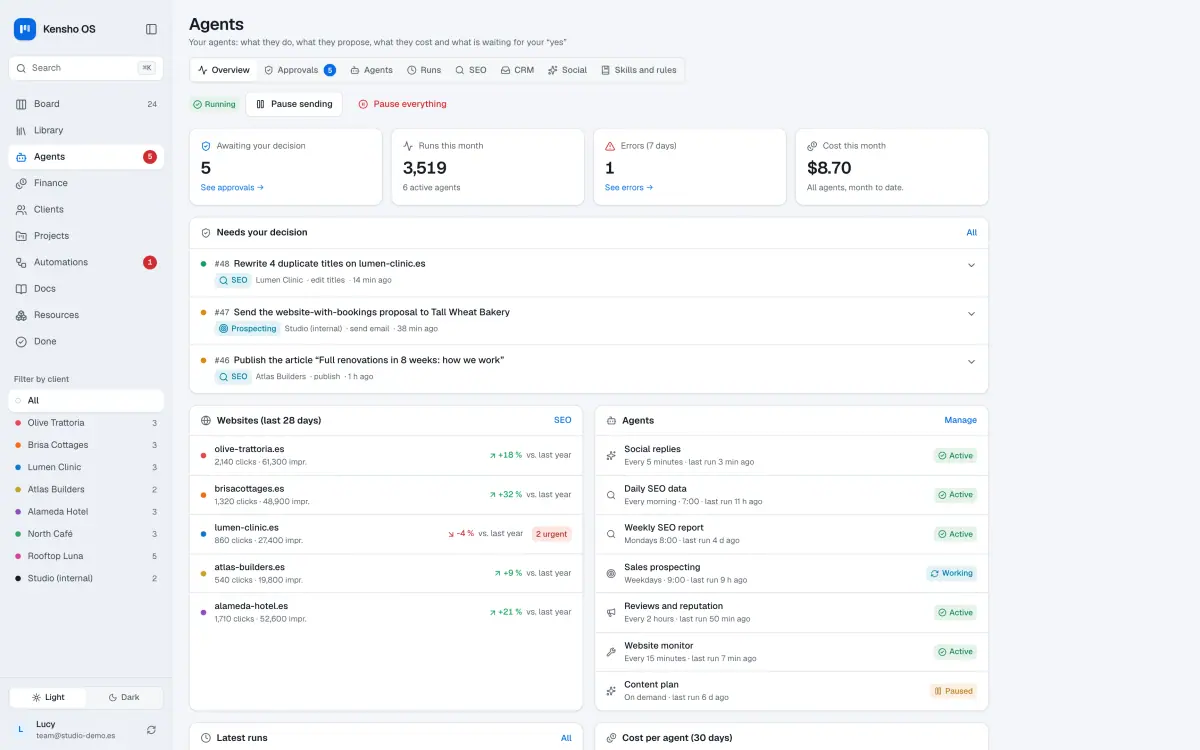
Control centre
Every run, every suggestion awaiting approval, every failure and the bill so far. One switch halts the lot.
See the case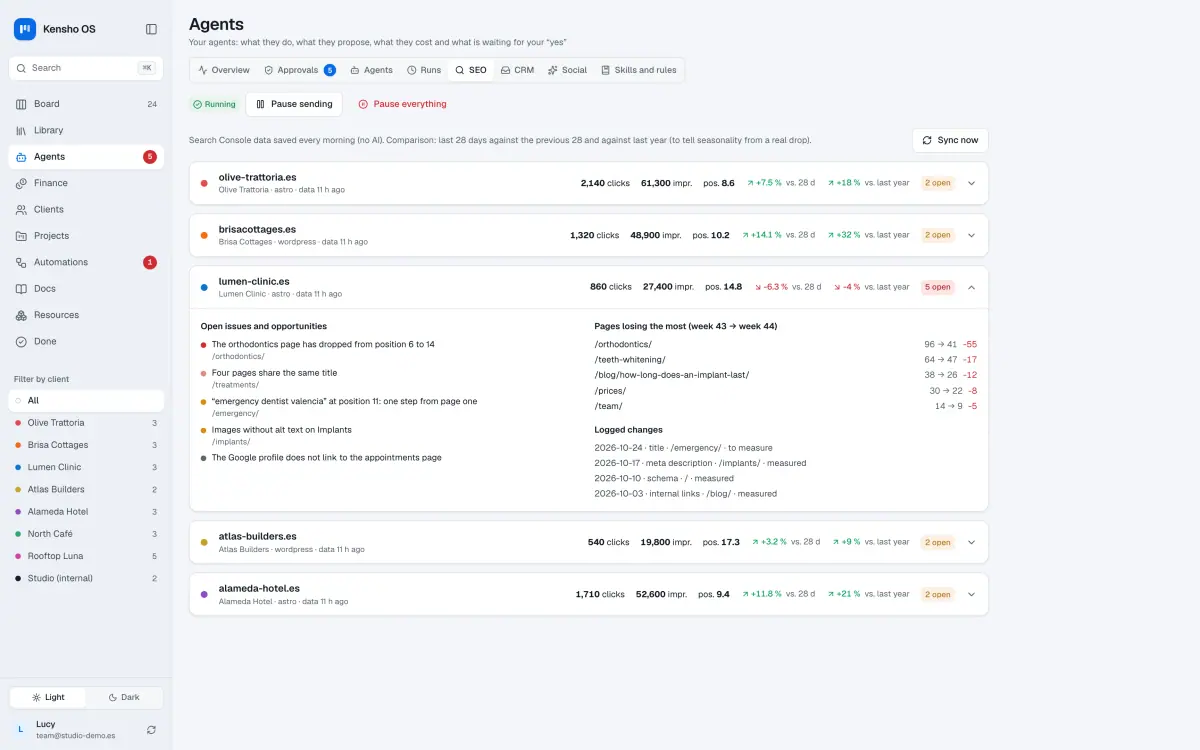
Weekly SEO agent
A weekly pass over the website: routine fixes are applied, and each one is checked again four weeks on.
See the case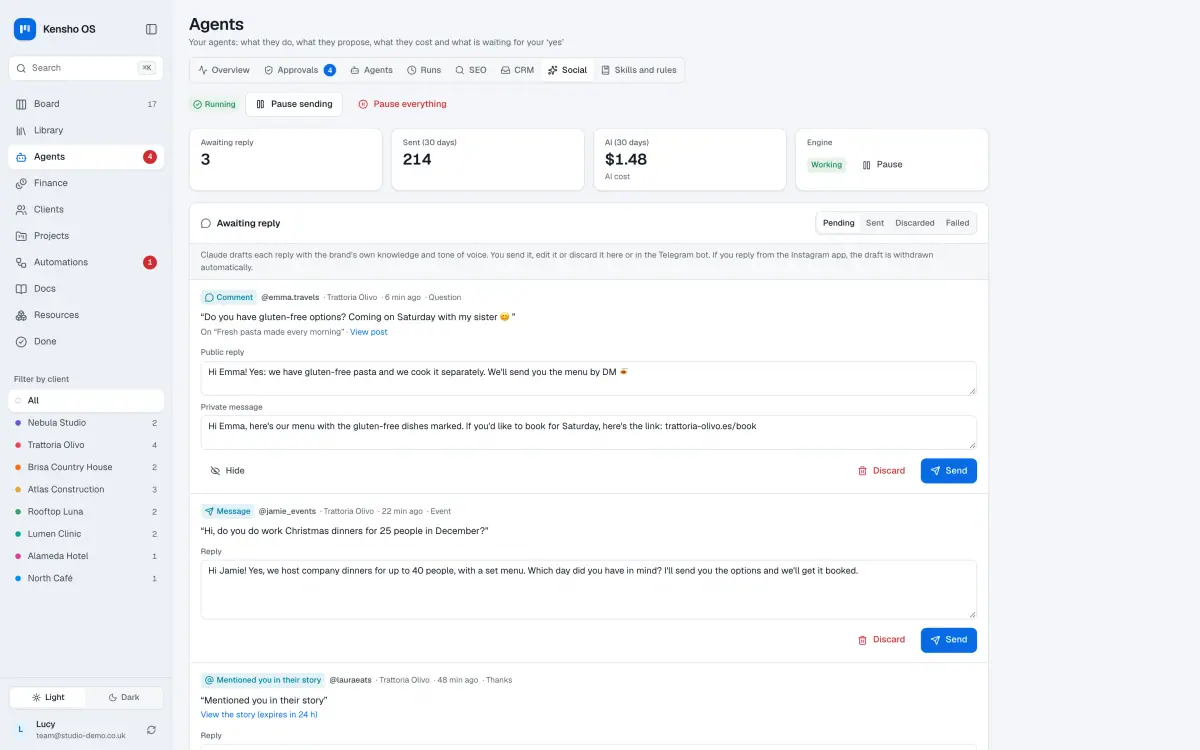
AI social inbox
What people write on Instagram and Facebook, with an answer prepared in the brand's tone for each.
See the case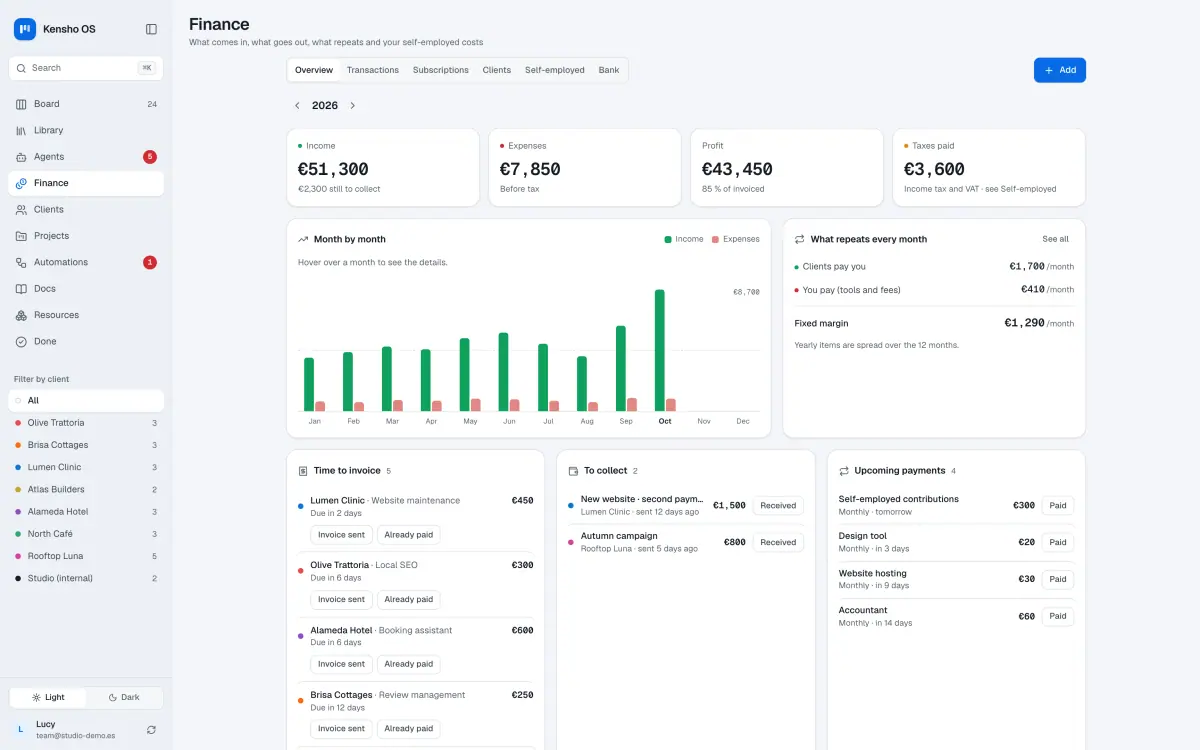
Finances that file themselves
An invoice lands in the inbox and is recorded. Payments and quarterly totals follow, with no manual entry.
See the case


(05) Works with what you have
No new tool to learn. It meets you where you already work.
 WhatsApp
 Telegram
 Gmail
 n8n
 Claude
 ChatGPT
 Gemini
 Stripe
 Google Business
- Airtable
- Notion
- Slack
 Supabase
 WordPress
(06) Case studies
Automations in daily use


(07) Questions
Fair doubts about handing work to an AI
Does an agent act without asking?
Only on what you have agreed it can do alone. Our control centre shows what every agent did, what it proposes and what went wrong, and one button pauses all of them.
Do we have to change how we work?
No. We build on the channel you already use. The quote agent runs on Telegram because that is where its owner already spent his day.
Which tools can you connect?
WhatsApp, Telegram, Gmail, Stripe, Google Business, Airtable, Notion, Slack, Supabase and WordPress are the usual ones, orchestrated with n8n and models such as Claude, ChatGPT or Gemini.
Can it answer customers in their own language?
Yes. The customer service assistant replies in the language the customer writes in, at any hour, and hands over to a person when the question needs one.
(08) Start here
Which task eats your week?
Describe it in a message: who does it, how often, with which tools. We tell you whether it can run on its own and what it takes.